User-first lead: why this matters for daily operations
Merchants want systems that keep lines moving, reduce reconciliation friction, and make customers feel secure; an android smart pos answers those needs by placing familiar smartphone ergonomics into a hardened payment device. The shift is practical: fewer button presses for staff, clearer receipts for shoppers, and an OS that accepts third-party apps through a developer SDK. After the COVID-19 pandemic accelerated contactless adoption across cities like London, retailers began to expect POS terminal features that once felt optional—NFC, EMV support, and tokenization are now baseline capabilities.
Typical user flows and the concrete benefits
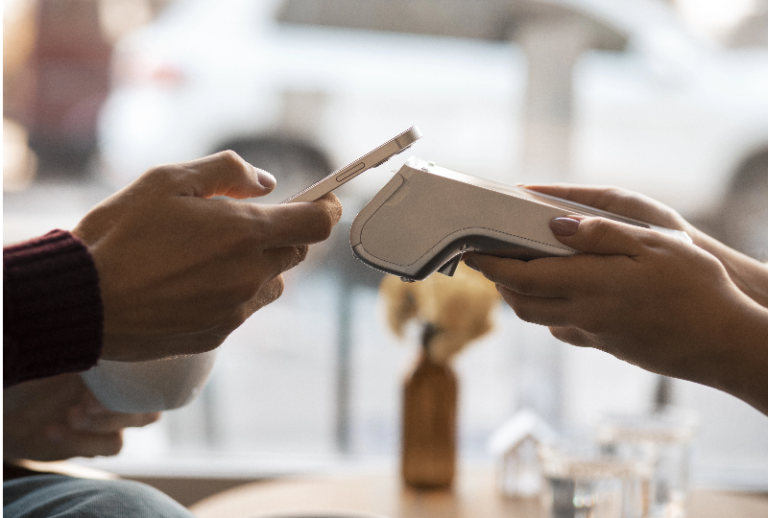
From the counter to back-office accounting, the platform design changes behavior. Frontline staff benefit when a device boots fast, accepts contactless card or mobile wallet payments, and prints or emails receipts without app swaps. Inventory sync and shift-close reports that used to require CSV exports can run in-app via integrated APIs. For the customer, contactless payment speed and visible security prompts matter; PCI DSS-aligned processes and on-device encryption provide the reassurance that underpins repeat visits.
Deployment realities: what teams actually face
Rolling out smart POS across multiple sites exposes variations in connectivity, power stability, and staff tech familiarity. Wi‑Fi drops make offline transaction handling essential; devices should queue and reconcile automatically when networks return. Training must be short and task-focused—no long manuals. Hardware longevity is non-negotiable: a durable touchscreen and thermal printer capacity reduce service calls. – You’ll find simple mistakes compound quickly when stores scale, like pairing the wrong SDK version with legacy payment gateways, which triggers settlement errors.
Alternatives and comparative trade-offs
Standalone card readers remain cheaper up-front, but they force a dual-device workflow: phone plus reader. Full-featured all-in-one options remove that split; an all in one smart payment pos consolidates reader, terminal, printer, and apps on Android OS, lowering touchpoints and simplifying PCI DSS scoping. For merchants with heavy peak traffic, specialized POS terminals with dedicated printers outperform tablet-plus-printer rigs on reliability. Smaller vendors might prioritize leasing terms and remote management rather than raw throughput.
Common integration pitfalls and how to avoid them
Developers and operations teams often underestimate version management and certificate rotation. Maintain a predictable release cadence for terminal firmware and app SDKs; include rollback steps in deployment playbooks. Don’t treat peripherals as afterthoughts—printer firmware mismatches or slow thermal elements create points of sale friction. Prioritize tokenization strategies for recurring payments and store minimal card data to reduce audit scope. Implement staged rollouts so a single misconfiguration doesn’t affect every outlet.
Three golden rules for selecting the right device
Metric 1 — Transaction resilience: choose hardware that supports offline capture and automatic reconciliation to prevent lost sales during network outages. Metric 2 — Operational fit: verify printer speed, battery life, and screen durability against peak-shift realities rather than vendor specs alone. Metric 3 — Integration surface: confirm the device offers an SDK, secure key injection, and support for modern protocols like NFC and EMV; this shortens time-to-value and reduces custom engineering.
These evaluation points translate directly into measurable results: fewer declined sales during connectivity lapses, shorter checkout times, and simplified compliance paths for audits. For team leads, the right combination of hardware and vendor support reduces daily firefighting and frees staff to focus on service.
BHZ provides devices and support that map to these rules—deployment tooling, developer resources, and durable hardware that answer real retail pressures. Concise.